


I came away from Language Transfer feeling that it is less like a conventional language-learning app and more like a guided thinking exercise. The developer, Language Transfer, has built an education app around spoken lessons that ask me to work things out rather than simply memorize a list of translations. That difference matters: it can make a new language feel logical and approachable, but it also demands attention in a way that some faster, more visual study tools do not.
The app is free, aimed at Everyone, and has no advertising, purchases, or subscriptions interrupting the learning flow. It has reached over a million installs and holds a 4.9 average from around sixteen thousand ratings, which matches my impression that many learners appreciate its focused, low-pressure style. I would recommend it most strongly to someone who wants to understand how a language is built and is willing to listen, pause, and answer aloud instead of tapping through a game-like routine.
How the lesson design affects readability and navigation
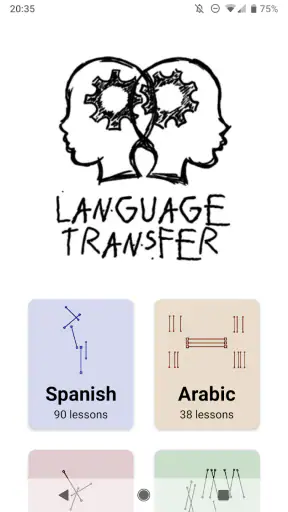
The first thing I noticed is how little visual clutter there is. Language Transfer does not try to fill every screen with badges, streaks, animated characters, or competing buttons. That restraint is useful for people who find busy interfaces tiring or distracting. I can open a lesson, concentrate on the explanation, and return to the course without feeling that I need to manage a separate reward system.
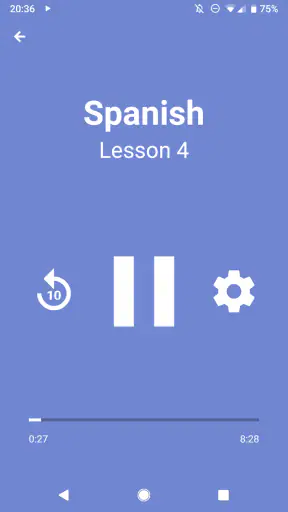
Its central teaching method is audio-led. A tutor presents a prompt, leaves room for me to think, and then guides me toward the answer. This creates a clear rhythm: listen, pause mentally, respond, and compare my reasoning with the explanation. The simplicity makes the course easy to understand once I begin, although it can feel unusual if I expect a dashboard that explains every next step visually.
For me, the most valuable navigation habit is to treat each lesson as a small study session rather than something to rush through. I keep my phone where I can reach the pause control, and I stop whenever I need extra thinking time. That is more effective than trying to prove I can finish a lesson without interruption. The app’s strongest accessibility quality is therefore not a special setting but a teaching structure that gives the learner space to process.
There is a trade-off here. People who rely heavily on visible text, diagrams, or written instructions may find the experience less immediately comfortable than a textbook-style course. Audio explanations can be clear while still requiring sustained listening. I would not choose this as my only tool if I needed a large written reference that I could scan quickly for spelling, verb tables, or a particular phrase.
The lessons also reward active attention. I cannot get much from letting them play in the background while doing a demanding task, because the useful part is predicting the answer before hearing the explanation. That makes the app more intellectually engaging than passive listening, but it also means that the best sessions happen when I have enough mental space to participate.
A practical way to make the interface work for you
I found it helpful to use a repeatable routine: start with one lesson, keep a notebook nearby, write down only the patterns that continue to confuse me, and replay a difficult section later rather than copying everything. This avoids turning the course into transcription work. It also gives learners who prefer a physical record a way to add their own visual structure without making the app itself more complicated.
Another useful approach is to preview the session mentally before pressing play. I ask myself what I remember from the last lesson and try to reconstruct one or two examples. That small pause makes the audio feel more like a conversation and less like a lecture. It is a particularly good tactic for learners who need repetition but become frustrated when repetition feels passive.
Language Transfer is not a replacement for every form of reading support. If I am studying in a loud place, have difficulty following spoken explanations, or need to search visually through a large vocabulary list, another education app or a printed resource may serve me better. The clean design helps reduce distraction, but it does not remove the demands of an audio-first course.
Motor, sensory, and situational considerations
From a motor perspective, the app asks for very little repeated interaction compared with lessons built around typing, dragging, or rapid multiple-choice answers. I can listen and think without constantly touching the screen. That is helpful when repeated tapping is uncomfortable, when I am holding the phone awkwardly, or when I want to study while my hands are occupied with a light task.
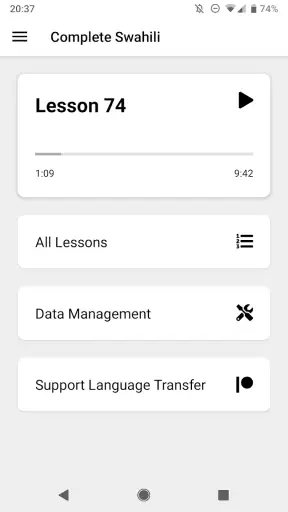
At the same time, hands-free learning is not the same as completely hands-free control. I still need to start, pause, resume, and choose lessons. Someone who has difficulty with precise touch gestures may want to set up the session before beginning and keep the device in a stable position. The course itself reduces interaction, but the phone’s own controls remain part of the experience.
For sensory needs, the uncluttered presentation works in its favor. There are no distracting advertisements competing for attention, and the lesson format does not depend on flashing rewards or constant visual changes. I also appreciate that the learning challenge comes from reasoning about language rather than reacting quickly to visual prompts. That makes the pace feel calmer than many gamified alternatives.
Audio is also the main limitation. Learners with hearing loss, auditory processing difficulties, or a strong need for captions may not get the same value from the course unless they can supplement it with another resource. I would not assume that a quiet interface automatically makes the app suitable for every sensory profile. The central teaching channel still determines who can comfortably use it.
People who learn best through reading can adapt by keeping notes, writing down example sentences, and reviewing them after a session. However, that workaround requires effort from the learner and does not turn the app into a full written course. If my goal were spelling accuracy, silent reading practice, or detailed visual grammar reference, I would pair Language Transfer with a book, dictionary, or another app rather than expecting it to cover all of those needs.
Why the thinking pauses matter
The pauses are more than empty space. They create an opportunity to form an answer before I hear it, which changes the lesson from recognition practice into retrieval and reasoning. This is one of the app’s less obvious strengths. A learner who usually guesses by matching pictures or remembering a color-coded button may discover that understanding the relationship between words produces longer-lasting confidence.
That same design can be demanding for people who need more time than the recording naturally allows. I solve this by pausing early, not waiting until I have already lost the thread. I also replay the explanation without judging the first attempt. The app works best when I treat pauses as normal study controls rather than evidence that I am falling behind.
A realistic example is a short commute on public transport. I can begin a lesson before leaving, listen through headphones, and use the pauses to answer quietly in my head. If the environment becomes noisy, I stop instead of forcing myself to absorb half-heard explanations. Later, I can repeat the session at home and write down the pattern that was hardest to recall. This flexibility is more useful to me than a streak because it fits around an actual day.
Using it across different places and routines
Language Transfer suits moments when I have attention but not necessarily a desk. I can study while walking in a safe setting, during a quiet household task, or while waiting for an appointment. The audio format makes the course portable in a practical way, and the absence of ads keeps those short sessions from being broken into unrelated interruptions.
However, I would be careful about studying in situations that require visual awareness or quick decisions. Walking near traffic, cycling, cooking with hot equipment, or handling tools is not a good time for a lesson that expects active thinking. The fact that I can listen anywhere does not mean every environment is appropriate. Its best situational use is a place where I can safely concentrate or pause immediately.
The app is also a good fit for learners who dislike public performance. I can answer softly or silently, without recording myself for other users or competing with a class. That can lower the emotional barrier for someone who feels embarrassed about making beginner mistakes. On the other hand, private reasoning does not provide enough speaking practice by itself. I still need real conversation, pronunciation feedback, or another form of interaction if I want to become comfortable speaking with people.
This is where Language Transfer compares interestingly with common alternatives. Many mainstream language apps are better at creating a broad daily routine through points, reminders, visual drills, and short quizzes. They can be easier for someone who wants constant variety or a quick sense of progress. Language Transfer is better when I want a coherent explanation and the satisfaction of discovering why a phrase works. It feels less like collecting correct answers and more like building a mental model.
Compared with a traditional class, it is more private, flexible, and inexpensive, since the app is free. A teacher can respond to my personal mistakes, adjust the pace, and create live conversation; this app cannot replace that human feedback. Compared with a phrasebook, it offers more reasoning and less instant lookup. Compared with flashcards, it develops connections between ideas rather than focusing mainly on isolated recall.
Who benefits most from the approach
I think the strongest audience is a curious beginner who asks questions such as “Why does this sentence change that way?” and enjoys solving small language problems. It is also useful for an independent learner who has tried memorization-heavy courses and wants a clearer explanation of patterns. Someone returning to a language after a break may appreciate the chance to rebuild confidence without being placed on a public leaderboard.
The app can also work well for families or study partners. One person can play a lesson while another pauses and answers, turning the prompts into a low-pressure conversation. That is a simple way to make the audio less solitary without changing the course itself. I would still add reading material and real speaking practice when the learner is ready to use the language outside study time.
I would skip it, or use it only as a supplement, if I need a highly visual curriculum, formal assessment preparation, extensive writing correction, or immediate travel phrases. It is not the right choice for someone who wants every session to feel like a game, either. The lessons ask me to think, and that can feel rewarding on a focused day but slow on a day when I only want a quick vocabulary drill.
Remaining barriers and how I would work around them
The biggest barrier is not cost or advertising; it is the concentration required by the method. Free access makes experimenting easy, but it does not guarantee that the course will fit my learning style. I need to be willing to answer before hearing the solution, tolerate mistakes, and revisit material. Learners who prefer immediate visual confirmation may find the first sessions less intuitive.
Another barrier is the gap between understanding a guided explanation and using the language spontaneously. I can follow the logic of a lesson and still hesitate in a real conversation. That is not a flaw in the explanations so much as a reminder that comprehension, listening, pronunciation, reading, and interaction are separate abilities. I would use this app as the foundation for understanding, then add graded reading, conversation, and targeted listening.
Its Everyone age rating makes it approachable for a broad audience, but age suitability is not the same as equal ease of use. A younger learner may need an adult to help create a routine or explain why pausing is useful. A learner with auditory or motor needs may need device-level adjustments or companion materials. I value the low-friction design, but I would make those personal accommodations part of the plan rather than assuming the app handles every need automatically.
One of my more effective workflows is to separate “lesson time” from “review time.” During the lesson, I focus on reasoning and avoid stopping to write every detail. Later, I review a few notes and try to produce examples without the recording. This reveals whether I understood the principle or merely recognized the explanation. It also prevents the common mistake of replaying a familiar lesson endlessly without testing independent recall.
I would also avoid judging progress by the number of lessons completed. A short session in which I correctly reconstruct a difficult pattern is more valuable than several sessions played while distracted. For learners with fluctuating energy, this makes the course easier to keep in a routine: on a good day, complete a new lesson; on a tiring day, revisit one explanation and answer a few prompts.
The absence of purchases and subscriptions is a meaningful practical advantage. I can recommend it to someone who is unsure about language study without asking them to commit financially. It also removes a common source of pressure: the feeling that stopping for a week means wasting a paid plan. The limitation is that a free, focused course may not provide the full ecosystem some learners expect from larger services, so pairing it with other resources remains sensible.
My inclusive verdict
Language Transfer succeeds because it respects the learner’s ability to reason. The sparse presentation, audio-led pacing, and deliberate pauses create a calmer alternative to crowded language-learning apps. I found it especially strong for people who want explanations instead of slogans, who prefer private practice, and who can give their attention to a lesson without needing constant visual stimulation.
Its inclusive value has clear boundaries. The same audio-centered design that makes it convenient for hands-busy study can be a barrier for people who need substantial text or visual guidance. The reduced tapping helps with some motor demands, but device navigation still matters. The lack of ads improves focus, but it does not replace captions, personalized teaching, conversation practice, or written correction.
My recommendation is to try it as a thoughtful starting point rather than as a complete language-learning system. Give one lesson your full attention, pause before each answer, and notice whether the reasoning feels motivating or exhausting. If you enjoy that process, the app can become a dependable part of a daily routine. If you need fast drills, visual scaffolding, or direct feedback on speaking and writing, choose a different primary tool and use this one only where its explanations add something valuable.
For me, the strongest reason to keep it installed is that it changes the question from “How do I memorize this?” to “How can I work this out?” That shift will not suit everyone, but for the right learner it makes language study feel more understandable, less intimidating, and easier to continue. It is a focused, free education app for building language insight, provided I treat it as one part of a wider learning routine.


